
 In order for you to be able to manage your place, merge it with a page and in general take full advantage of your place’s capabilities, you need to claim the place as your own.
Claiming the place as yours will give you admin access. In order to do this, you need to be able to verify that you’re the owner of the business. You can do this either using the business’s listed phone number, a custom-domain email address or by sending in business documents (i.e. articles of incorporation.)
Here’s how to claim your business as yours.
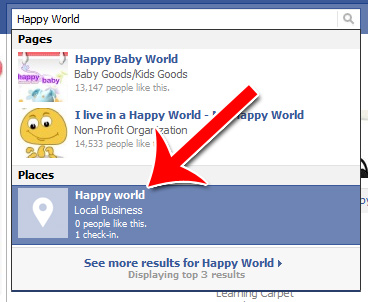
Step 1: Replace with Your Business
Do a search for your business’s name. Click on the business in the results.
Step 2: Click “Is This Your Business?”
In this lower left hand corner of your place, click “Is this your business?”

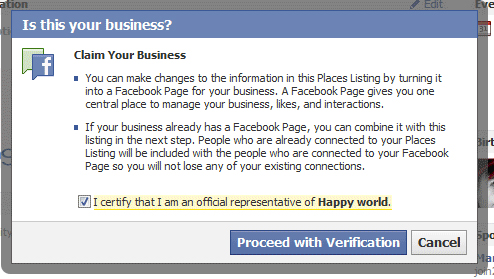
Step 3: Click “Proceed with Verification”
Read the terms for claiming a business, then click “Proceed with Verification.”
Step 4: Verify Your Business
Enter as much of the information Facebook asks for as possible.
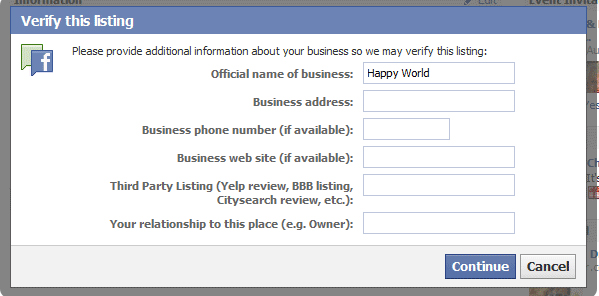
If your business phone number matches a listing on your website or other verifiable source, Facebook can call you to verify your ownership.
If your email address matches your business’s website domain (i.e. @mybusiness.com,) they can verify your ownership by email.
Otherwise, you’ll be asked to upload documents to prove your ownership or affiliation.
Claiming your business is that easy. Starting the verification process should take less than 30 minutes; and the whole process should take less than a week to complete.
